Check-ins (Enhanced attendances)
Automatic translation. View original
The check-in is similar to the old attendance in PADMA. A check-in represents that someone participated in a class, or watched a video, read an article, practiced with a timer, etc..
With the Learn platform you no longer need to register attendances manually 😀
Automatic check ins
In LIVE broadcasts a check in is generated automatically when the user accesses the stream.
In in-person classes a check-in is generated automatically at the class time for users who have a reservation in that class. (see Bookings - Reservations)
In on-demand videos using Vimeo or YouTube the check in is generated automatically when the user watches 80% of the video.
In articles the check-in is generated automatically when the estimated reading time passes with the article open.
In published timers the check-in is generated automatically when the timer finishes.
Manual check in
This tool is exclusive to Learn PREMIUM. Not available in the free version.
You can manually register check-ins from the Instructor app.
CleanShot 2023-05-12 at 15.06.29.mp4
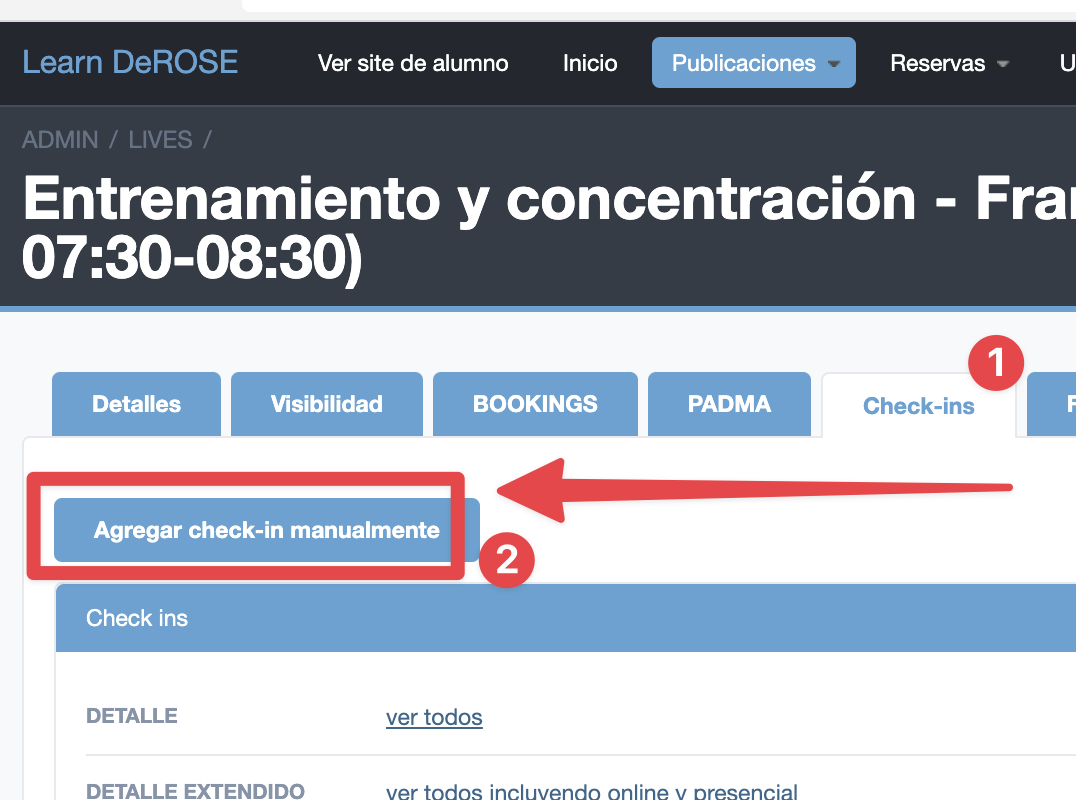
You can also manually register a check-ins in a Learn class in the advanced panel
Last time attended
The check-in in Live or In-person class automatically updates the “last time attended” field in CRM/PADMA.
In Learn you can enable the option for check-ins in videos to also update this field.
Participation reports
This tool is exclusive to Learn PREMIUM. Not available in the free version.
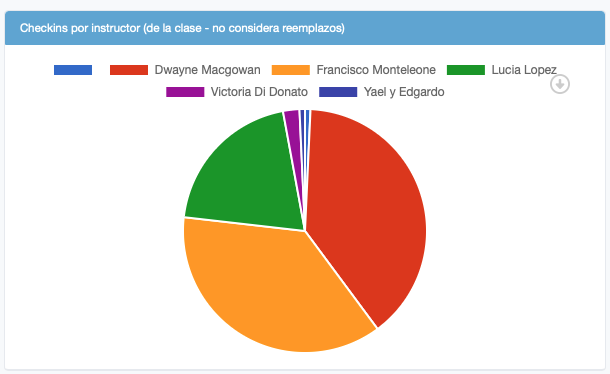
From the check ins we have already registered in PADMA the student's last class date and there is also a report in Learn of distribution by instructor for your Participatory Administration closures.
There is a report of check ins distribution by instructor
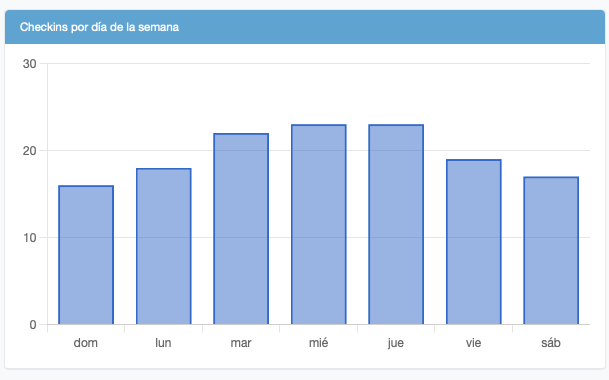
You can evaluate which days of the week have more check ins
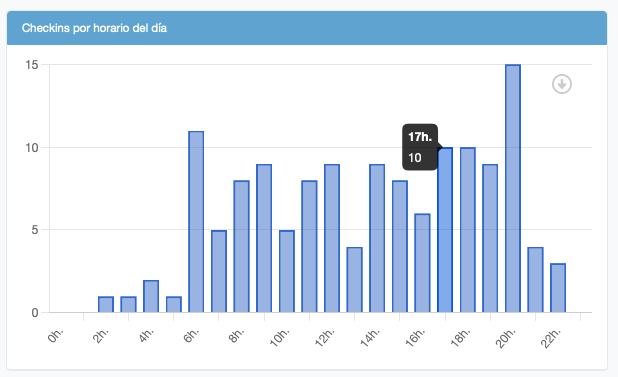
Or at what times have more check ins