
Publish Your Classes on Wellhub/ Gympass
Automatic translation. View original
- Publish class on Wellhub
- Publish LIVEs on Wellhub with reservation
- Change class settings on Wellhub
- Remove class from Wellhub
- Watch the step-by-step video
- How to check my classes published on Wellhub?
- How does my class appear on Wellhub?
Publish class on Wellhub
Once your account is connected with Wellhub (see How to connect your Wellhub/Gympass account ) in the advanced panel you will have a new tab “Wellhub” in your classes.
In this tab the button “Publish on Wellhub”
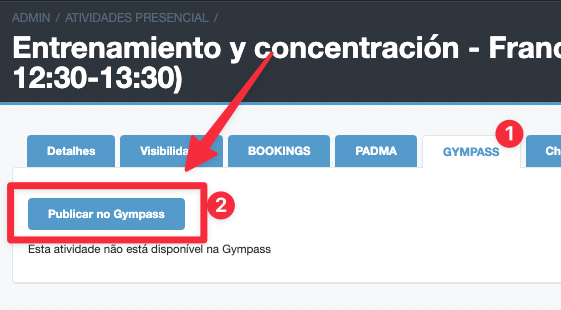
LIVEs that you make available on Wellhub will have their 'Direct Link' enabled automatically. This is necessary for Wellhub users' access.
In-person and online classes are published separately. Publishing an in-person class with broadcast on Wellhub will only make the in-person class available.
Publication settings on Wellhub
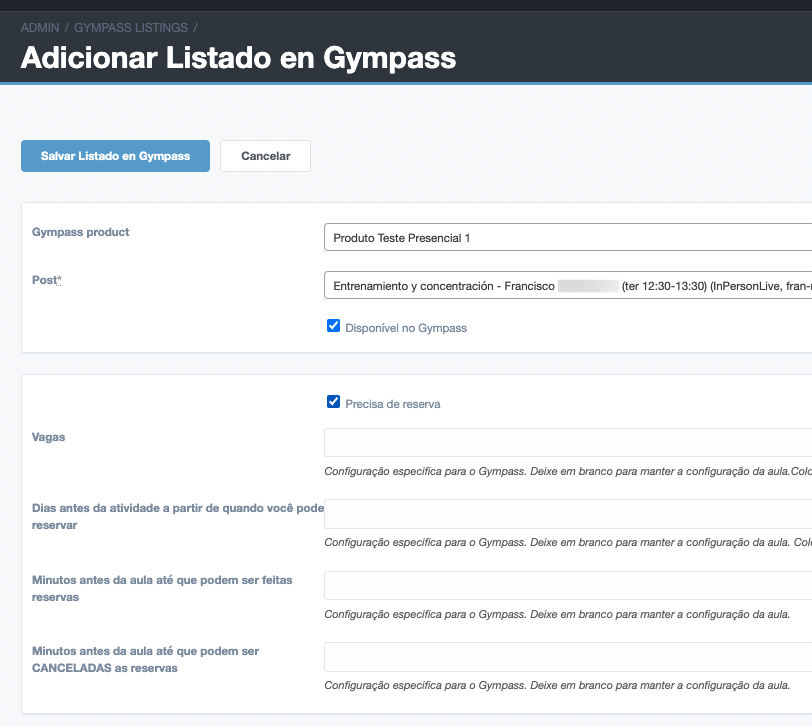
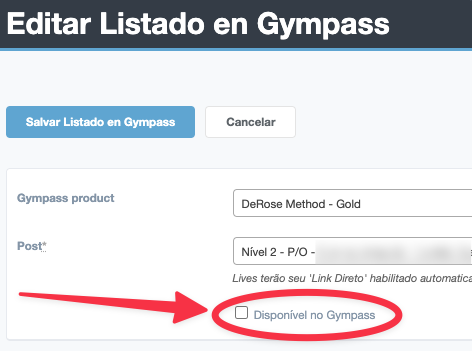
- Wellhub Product: They are the products or ‘contracts’ you have with Wellhub.
- Available on Wellhub: If you disable this field the class is deleted from Wellhub.
- Requires reservation: If enabled users can reserve a spot through Wellhub. If disabled the class is shown as not requiring reservation like a “walk-in class”.
The following fields you can leave blank to keep the configuration already made in the Learn publication. You only need to change if you want a particular setting for Wellhub:
- Vacancies: Here you can set a specific vacancy limit for Wellhub.
-
Days before the activity from when you can book:
Indicates how many days before the class the booking of vacancies is OPEN. If set to 0, the vacancy booking will never be enabled. -
Minutes before the class until bookings can be made:
Indicates the minutes before the class when the booking of vacancies is CLOSED. - Minutes before the class until bookings can be CANCELLED
Publish LIVEs on Wellhub with booking
If you want to receive bookings through Wellhub for online content (LIVEs) you must:
- configure the publication in Learn as NOT requiring bookings.
- configure the listing on Wellhub (see the continuation) as REQUIRING bookings.
This way Wellhub users can make bookings on Wellhub, and when accessing Learn they can access the content without needing to register on Learn.
This is the current solution because Wellhub does not provide user information when granting access to the class.
Change class configuration on Wellhub
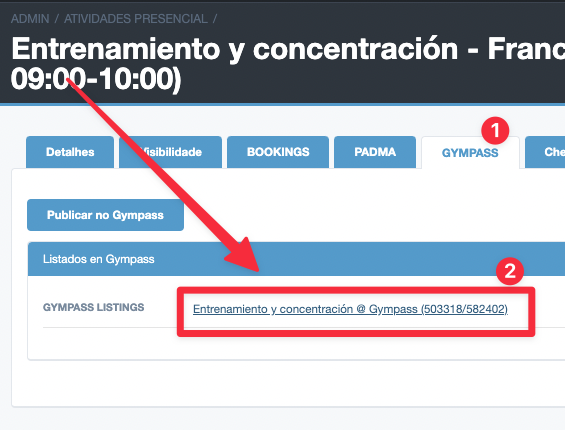
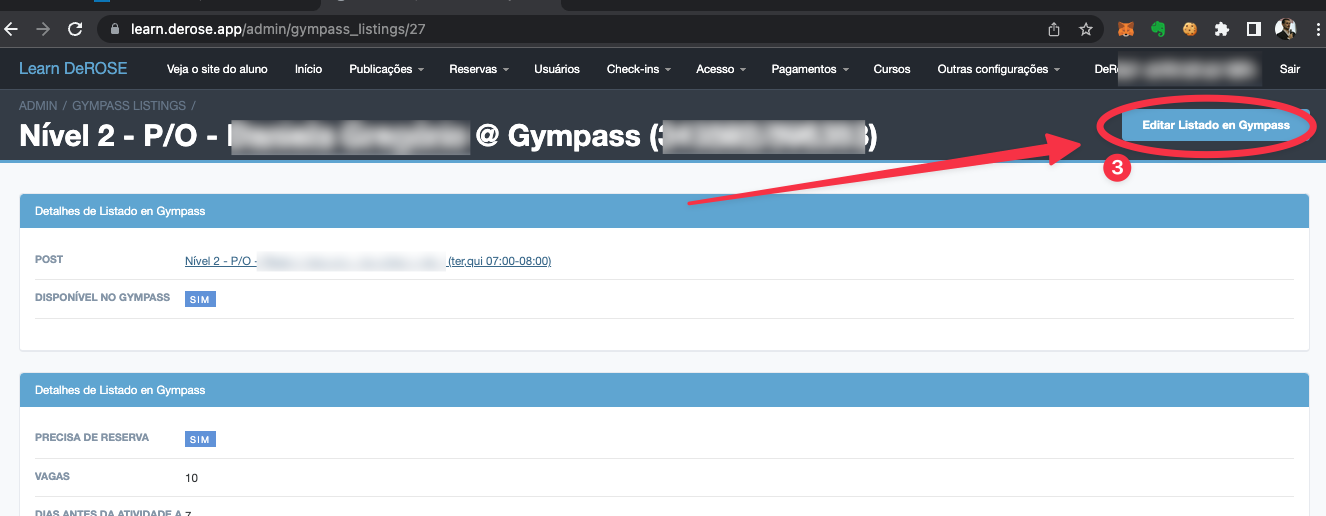
In the Wellhub tab you can access the publication on Wellhub to make changes.
See the above settings.
Remove class from Wellhub
In the class configuration on Wellhub (see the previous title “Change class configuration on Wellhub”), disable the Available on Wellhub field.
Watch the step-by-step video
How to check my classes published on Wellhub?
Currently Wellhub does not offer a tool to preview-your schedule grid as if you were a student.
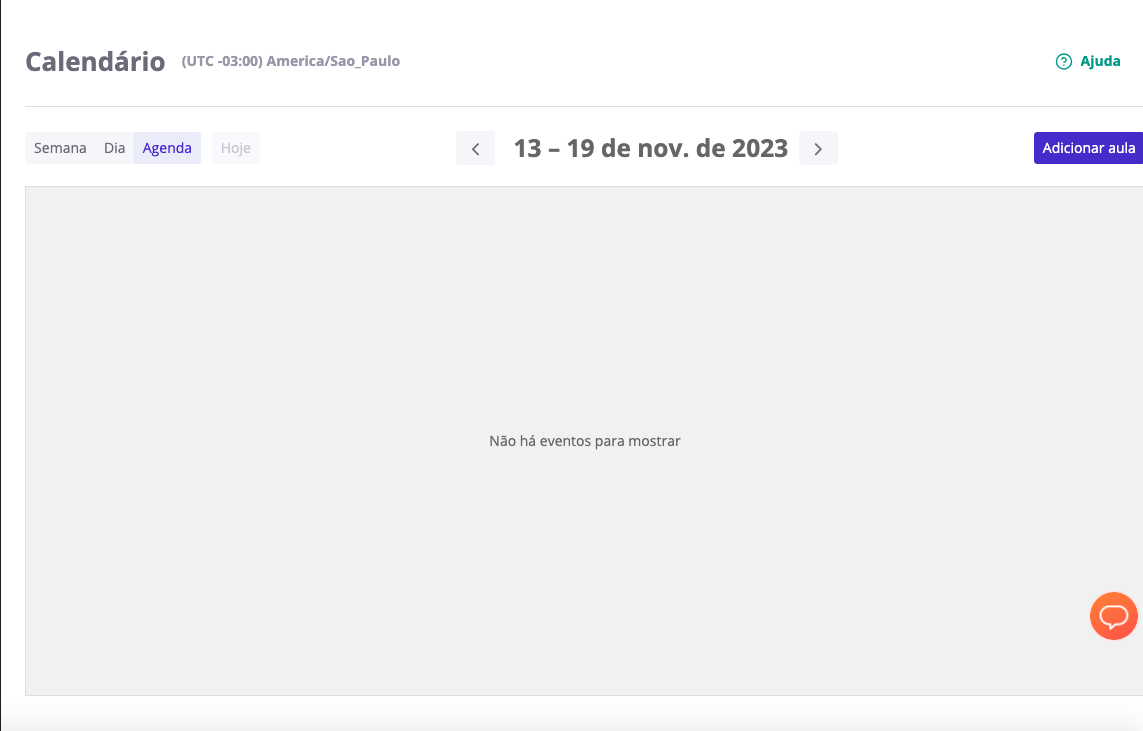
The calendar they provide for the school to view online classes only shows classes created directly on Wellhub, it does not show classes created by integrations. They do not recommend using this calendar, it became outdated on the platform.
You check which classes you have published on Wellhub in Learn itself. In the advanced panel filtering classes published on Wellhub:
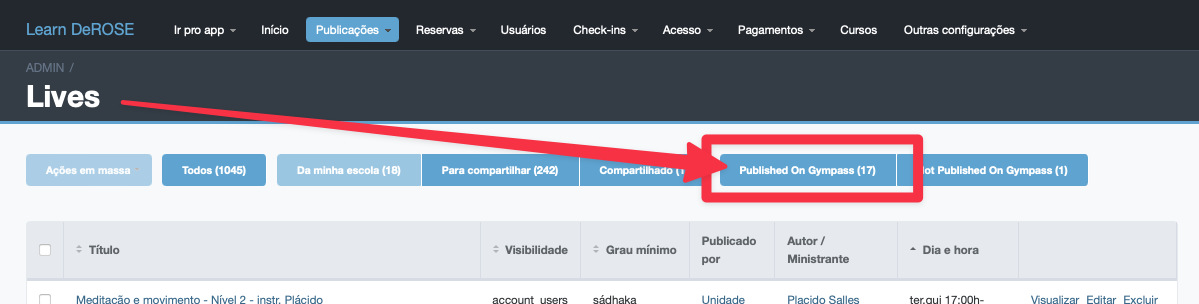
These are the classes that students see.
For more filters and information you can access the link https://learn.derose.app/admin/gympass_listings
How does my class appear on Wellhub?
Available class that does not require reservation

Available class that requires reservation

Available class that requires reservation but is full
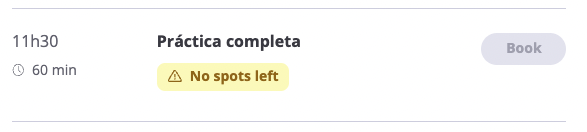
Available class that requires reservation but reservations cannot be made yet
