
Did not attend the reservation made
Automatic translation. View original
Use the 'did not attend' function after the class. Before the class, if a student informs you that they will not arrive, use the Late cancellation.
When someone makes a reservation but does not attend the class, you can mark it using the button: did not attend / no show.
If the user has a reservation limit, this reservation is considered consumed.
If the reservation received the vacancy due to a late cancellation (that is, very close to the time of the class) when marking as no show the reservation will simply be canceled without penalty to the user.
In the instructor's app:
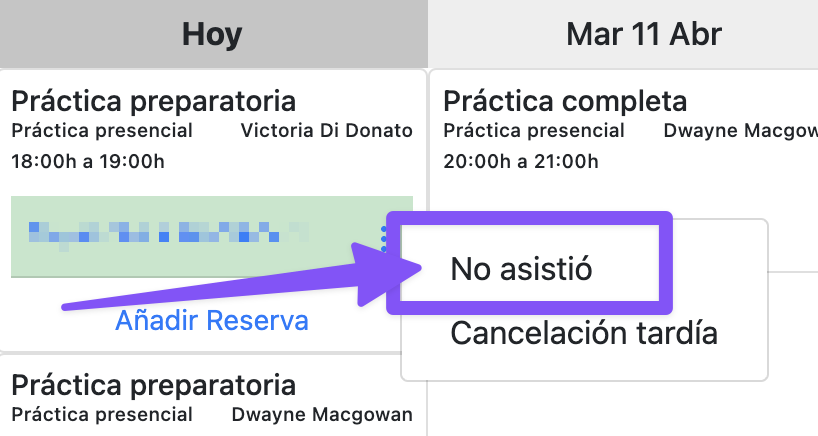
or in the administration panel: