
Late Cancellation
Automatic translation. View original
Use late cancellation before the class. After the class, to register that a person with a reservation did not attend, use the function Não assistiu à reserva que fez.
What is it?
Late cancellation is the cancellation of reservations after the cancellation deadline established for the activity.
For example, if a class has a cancellation deadline set to 40 minutes before the class and a student cancels 20 minutes before the class, this will be a late cancellation.
What is it for?
Late cancellation frees up the spot in the activity but continues consuming the user's quota if they had a reservation limit.
How users see it
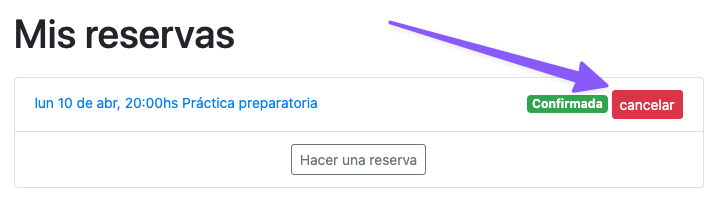
To cancel a class within the allowed time, the user sees the following button:
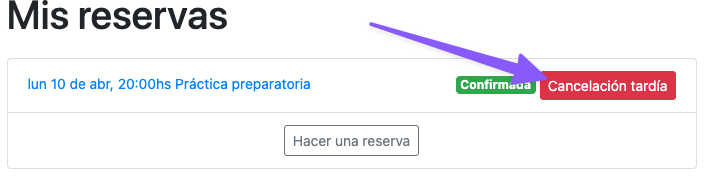
But to make a late cancellation the button has a different message:
How the instructor can do it
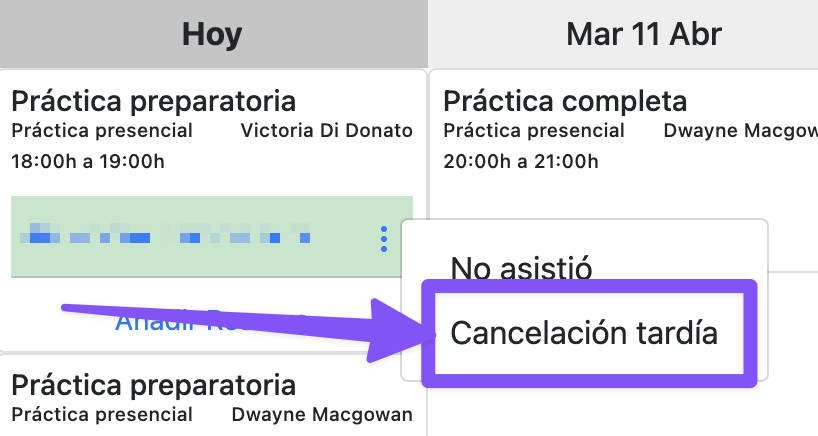
You can do it from the reservation screen in the admin panel or from the instructor app's schedule:
Exceptions to the setting
The school can configure how many minutes before the class cancellation is allowed. After that time, cancellations are considered “late cancellation” with the following exceptions: