
Access Configuration in FREE account
Automatic translation. View original
Free Learn accounts can manually enable or disable a user's access.
Activated users will have access to on-demand, live, in-person content and the dashboard Explorer.
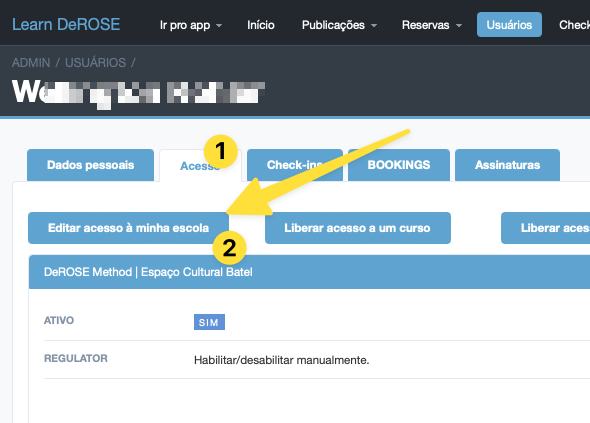
To enable a user's access, go to the “Access” tab in the user profile in the advanced panel and click “Edit access to my school”:
There you can enable or disable the user's access:
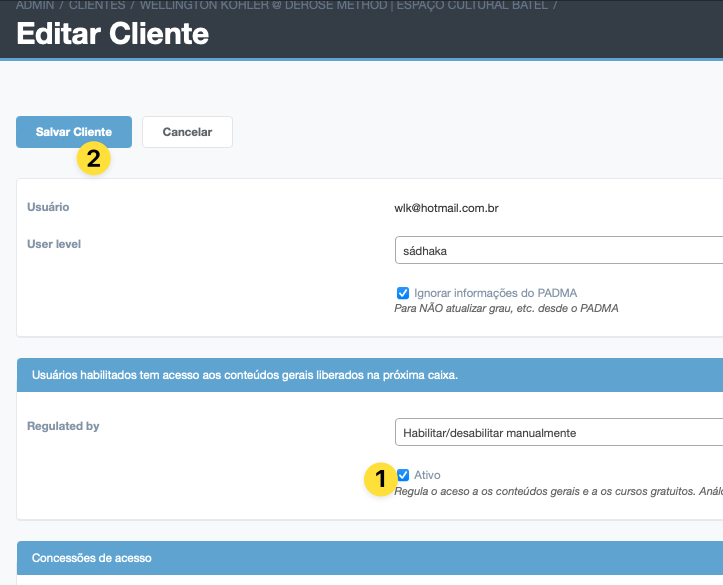
Click save client when finished