
Log in as one of the students
Automatic translation. View original
If you want to check what your student can see on the platform you can log in as if you were them.
To do this simply go to their profile in the control panel
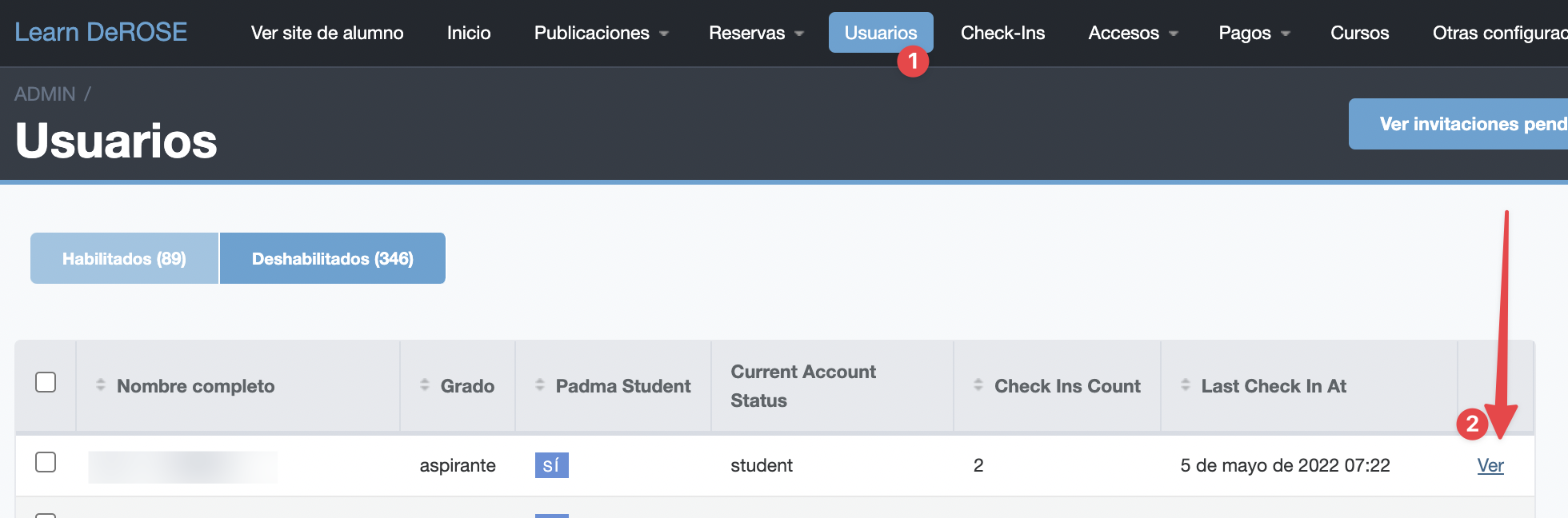
And click on the indicated button:
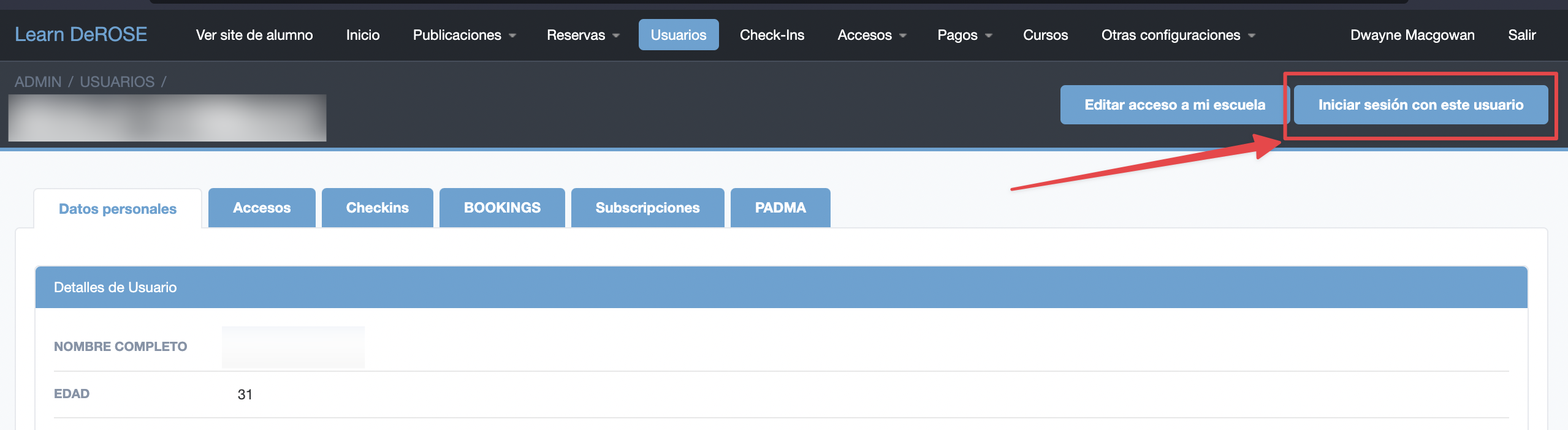
Thus, you will be able to see the classes this person has access to, as well as the schedule and their profile, among other things.
This way, it will be easier to help your students when they have doubts 🙂