
Payment of your DeROSE.app account
Automatic translation. View original
Access to the payment panel
In this panel you can change the credit card for payments, download the invoices, etc.
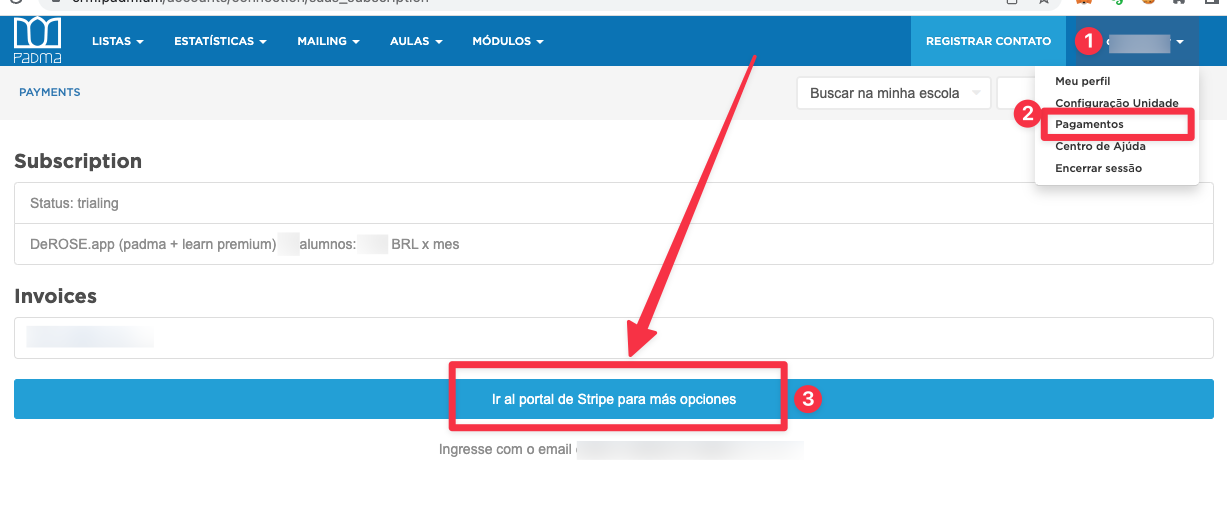
OLD Payment screen
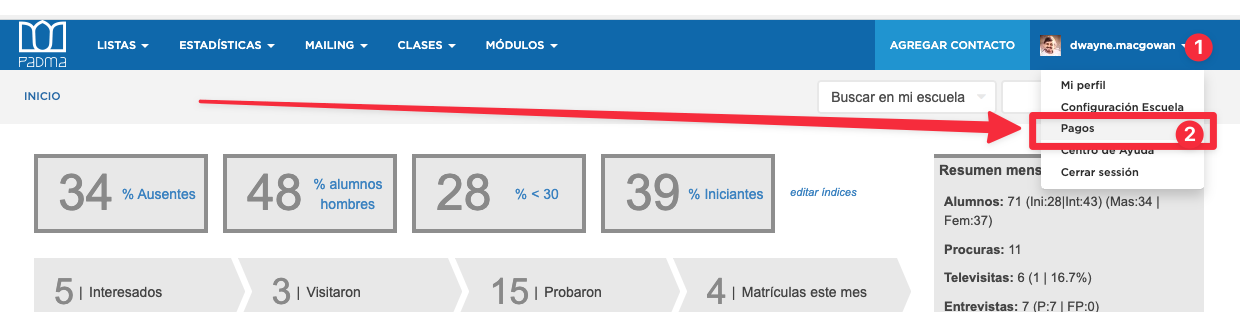
You can access the payment screen at this link: https://accounts.padm.am/accounts/current/invoices/pending
Or through the user menu:
History of your payments made
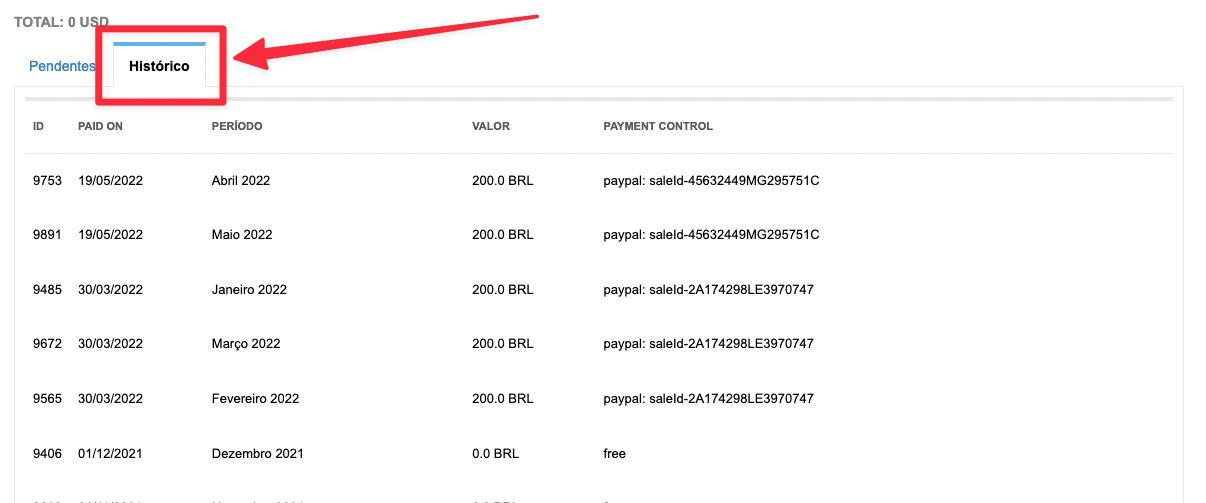
In the History tab you see all the latest payments we have recorded from your account.
(Schools experimenting with the new subscription system have a different screen)
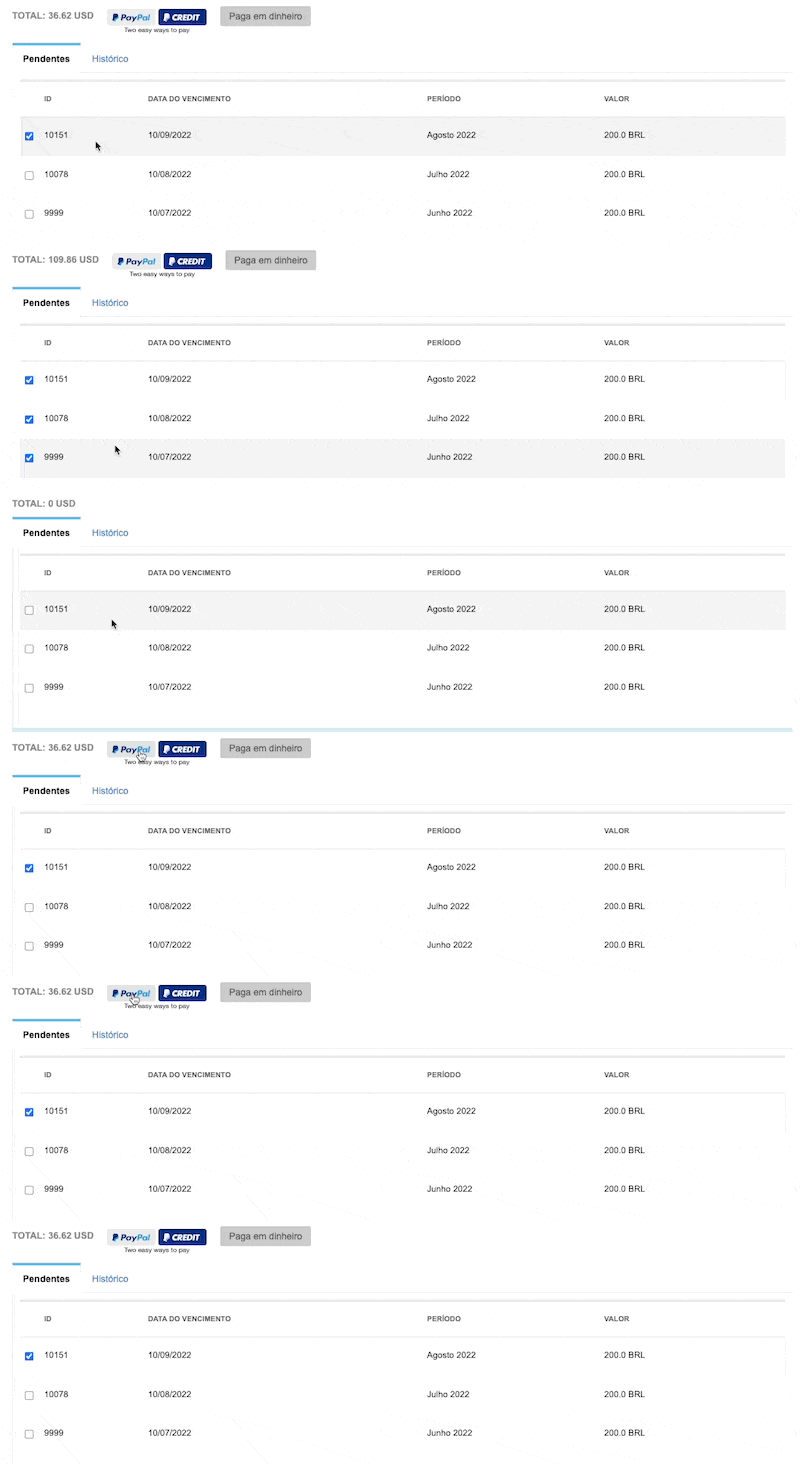
Make manual payment with card
Write to us:Contact