Timestamps
Automatic translation. View original
Only supported for videos on Vimeo or YouTube.
What are timestamps
A timestamp is a small text in the format HH:MM:SS that refers to a specific moment in a video.
For example 01:03:15 would be 1 hour 3 minutes and 15 seconds after the video starts.
For videos shorter than one hour, the timestamp should still include all three parts, for example 00:30:00 for 30 minutes, and so on.
Links to a specific moment in the video
In the link to a video you can add ?ts=HH:MM:SS so that the video starts at that exact moment when someone opens the link.
For example this link https://learn.derose.app/p/conversas-com-rumo?ts=00:13:35 leads to the interview with Professor DeRose, specifically to the moment when Rumo says “Imagine all the people”.
References to specific moments in the video
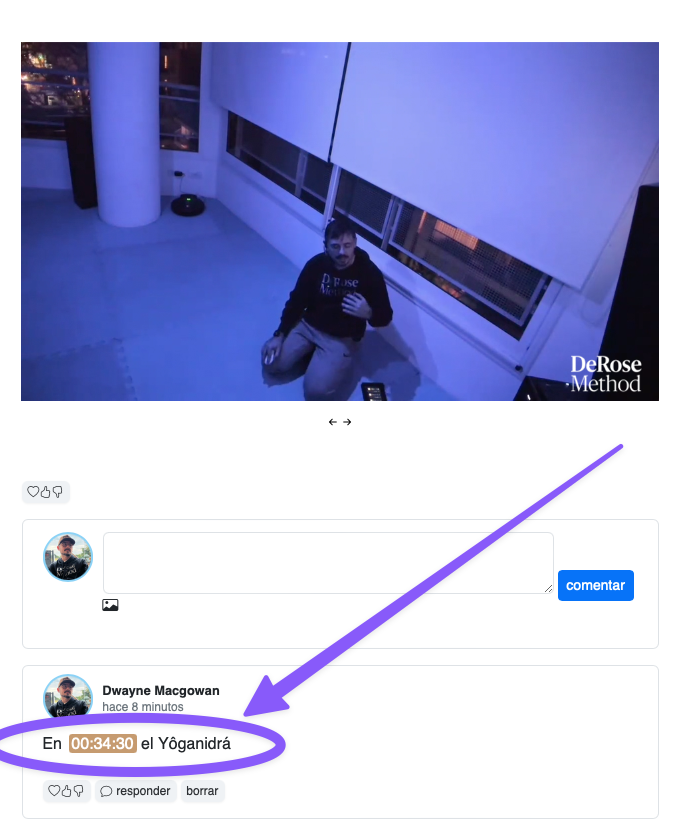
Both in the main body of a video and in comments under a video, Learn detects any timestamps present and turns them into a small button to play the video at that point.