
Highlight publications
Automatic translation. View original
This tool is exclusive to Learn PREMIUM. Not available in the free version.
What are ‘highlights’
With highlights you can select on demand publications to appear highlighted on the home page and/or in the content index.
You can also add Lives so their recordings are added to the highlight.
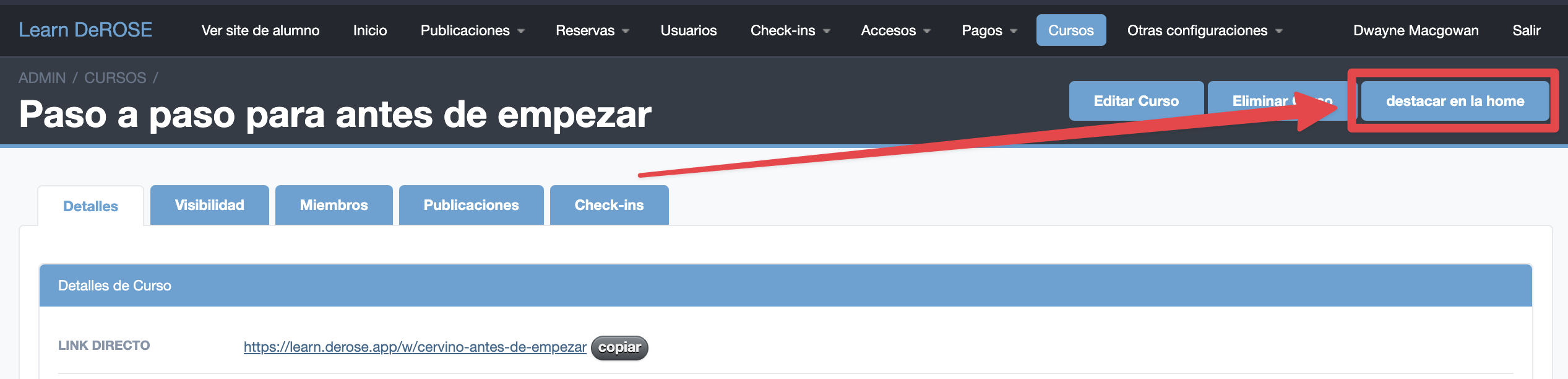
Courses can also be highlighted on the home page to encourage participation.
Whether to highlight contents at strategic moments or to separate them by different themes, highlights improve your students' experience.
Highlights DO NOT modify the visibility of the contents. Users will only see the publications they have access to.
ON Content-DEMAND
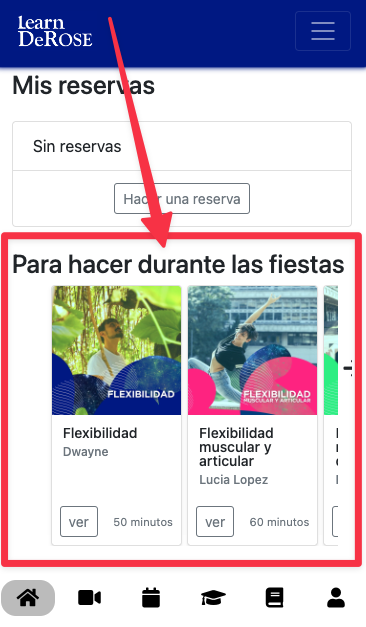
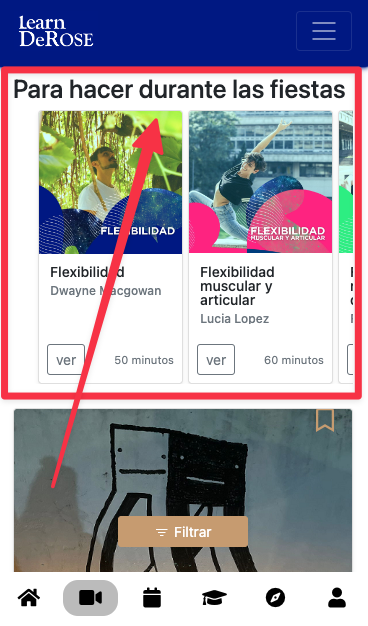
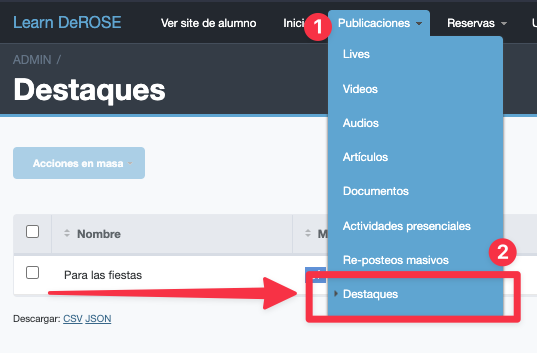
How to highlight on-demand contents
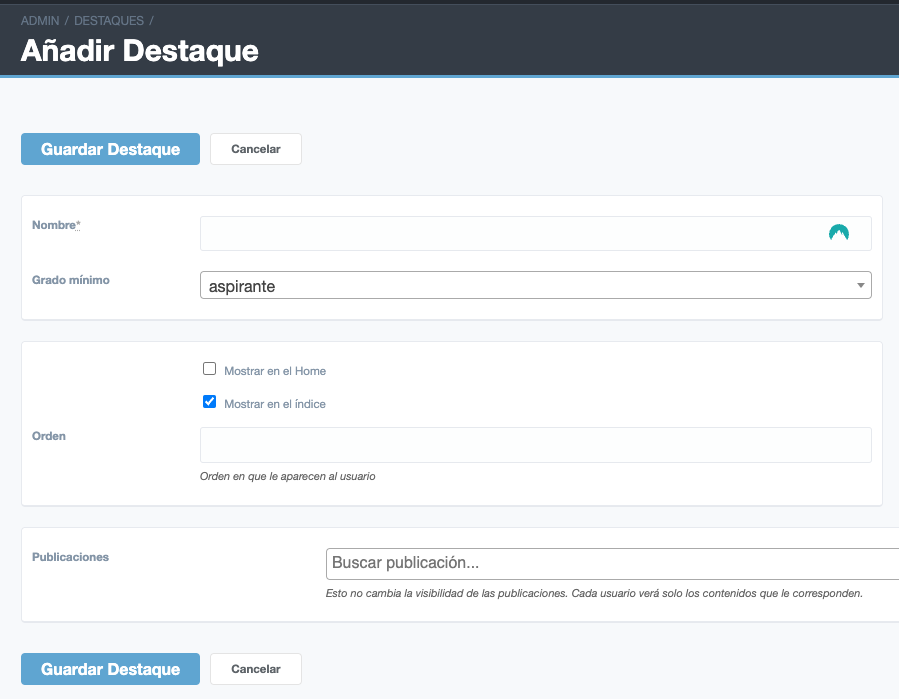
- Name - is the title that will appear over the publications. Ex: “holiday recommendations”
- Minimum grade - only users with this grade or higher will see the highlight
- Show on home - appears on the home page
- Show in index - appears in the on demand section and in relevant searches
- Order - To order the highlights. Highlights with the lowest number appear first, higher up.
- Publications - These are the contents of the highlight. This does not change their visibility. Each user will see only those publications they have access to.
Courses
You can highlight your courses or those shared from other schools.
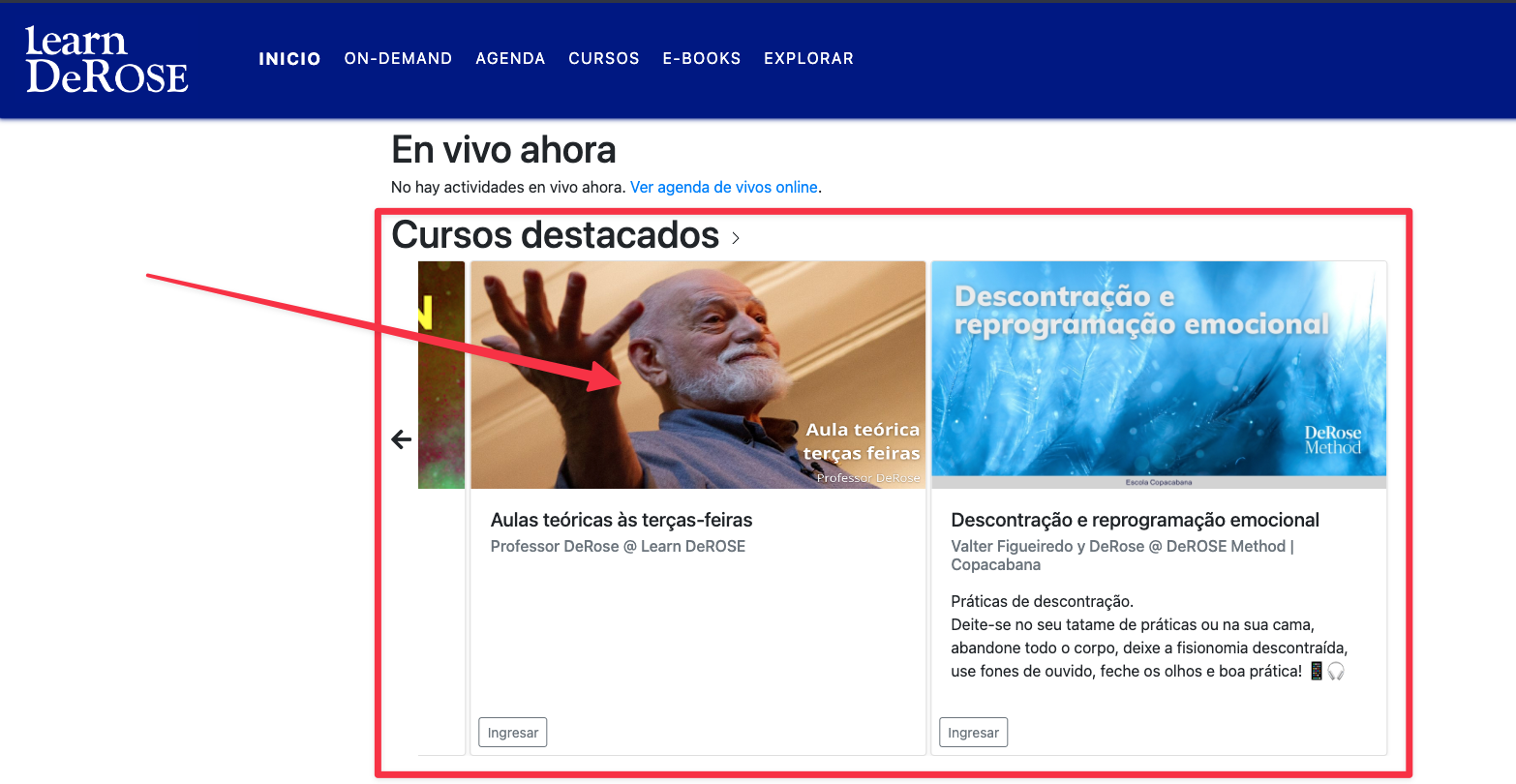
How to highlight courses
This tool is exclusive to Learn PREMIUM. Not available in the free version.