
Courses
Automatic translation. View original
This tool is exclusive to Learn PREMIUM. Not available in the free version.
Courses are ways to relate content. You can use them-in several ways, customizing-them according to your own needs:
- to organize study groups
- to manage the content of recorded classes for younger students - introductory classes -
-
for paid courses that require registration
Step by step to create courses
We address issues such as: visibility, whether there should be registration or not (payment buttons), order, and content release.
Step by step to create courses with paid registration
Watch here 👉 https://learn.derose.app/p/learn-como-riar-curso-com-inscricao
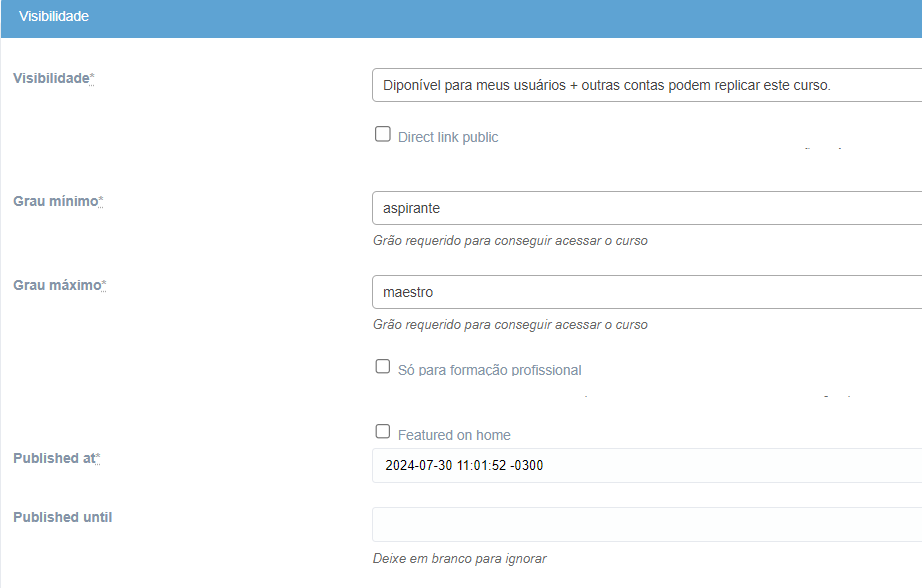
Visibility
As with all publications, it is possible to choose who sees the content, both by student grade and by schools.
Publications
Publications can be organized by publication date, manually or by title. Guiding students to take classes in a certain order.
They may contain publications that are available for a certain grade, but if the person is in the course, this limitation can be ignored.
How to add a publication to the course:
Drip content - content released gradually
You have the option to configure that the user can see all the course content, but that it is released gradually:
- when the previous publication has been made
- after a certain period of time from enrollment
- on a certain date
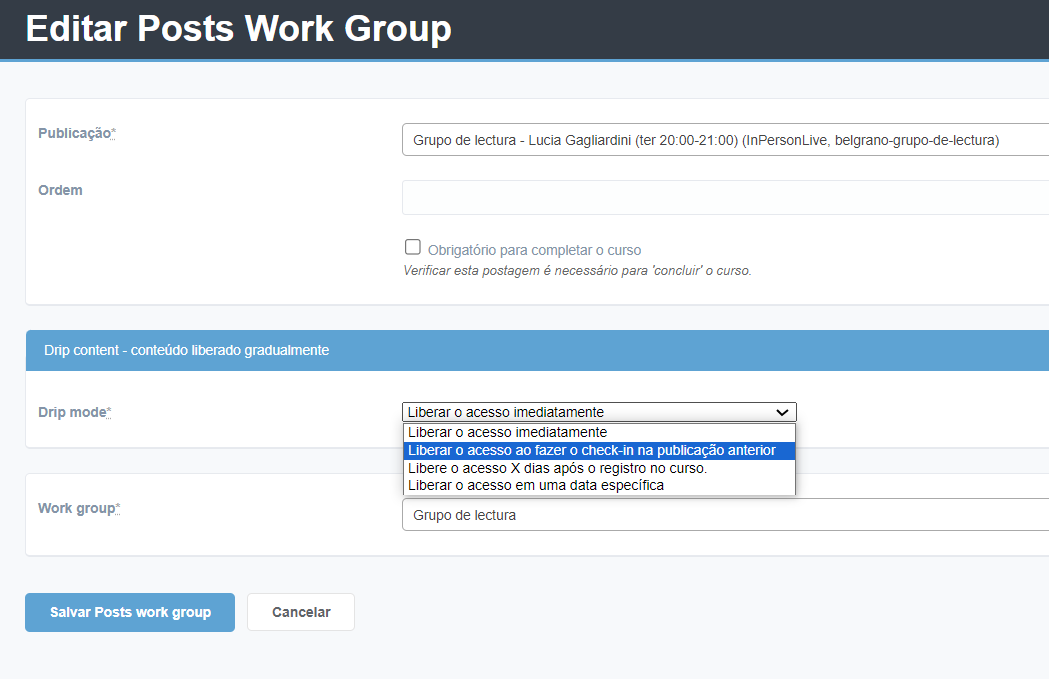
And so it is the Drip Content
This tool is exclusive to Learn PREMIUM. Not available in the free version.