
Agreements / Benefits for students
Automatic translation. View original
- Where agreements appear
- Who can see the agreements
- Sections of the benefits screen
- Who can register agreements
- How to register my agreements
- Student ID
Where agreements appear
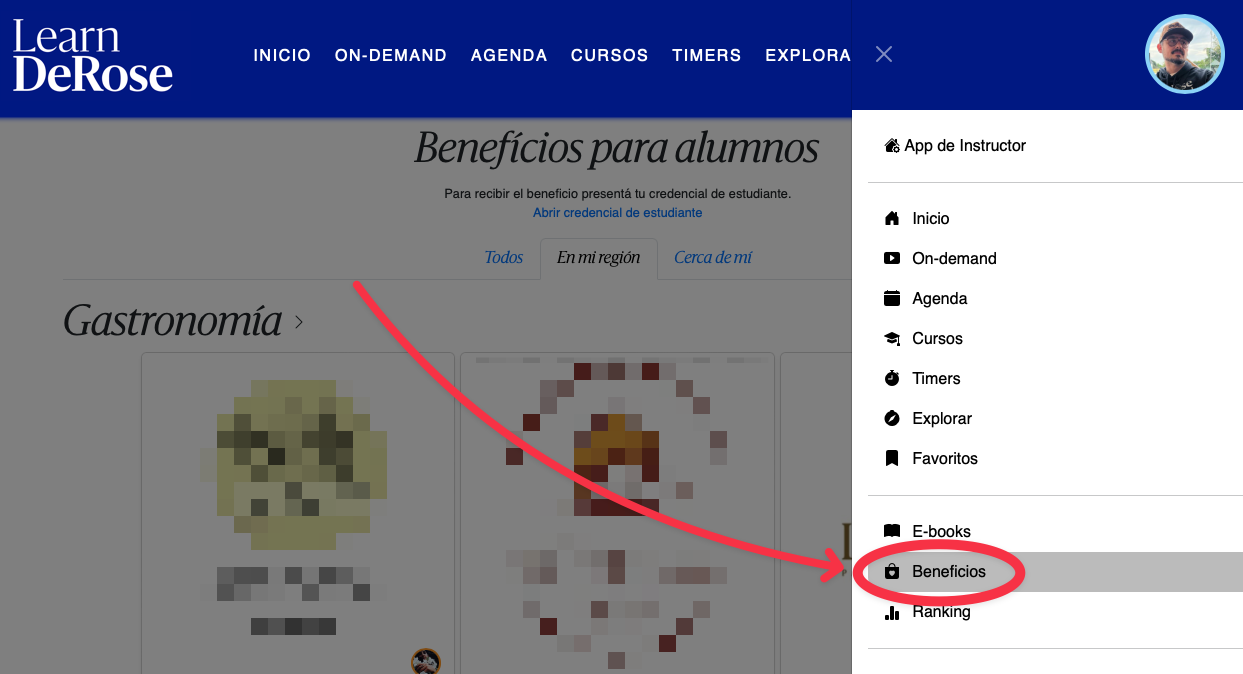
Who can see the agreements
The “Benefits for students” screen is visible to all users registered as STUDENTS in PADMA.
Sections of the benefits screen
Tab “All”
This section shows all current agreements.
Tab “In my region” (100 km)
This section only shows benefits located within 100 km (radius) around the user's current location.
For each agreement we consider 2 possible locations:
- The location of the school registering the agreement
- The location of the place linked in the agreement form.
Tab “Near me” (3 km)
This section only shows benefits located within 3 km (radius) around the user's current location.
For each agreement we consider 2 possible locations:
- The location of the school registering the agreement
- The location of the place linked in the agreement form.
Who can register agreements
All schools can register agreements. Agreements registered by schools will be visible to students of all schools.
The school responsible for the agreement is indicated in each benefit.
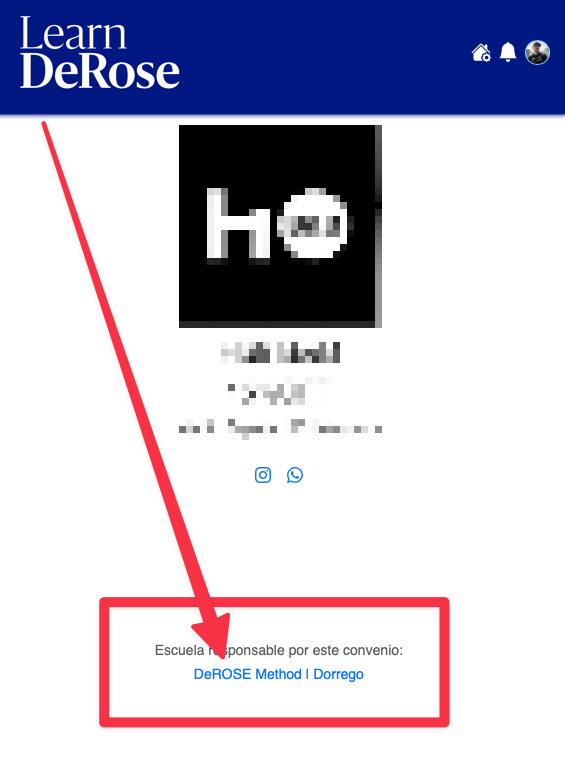
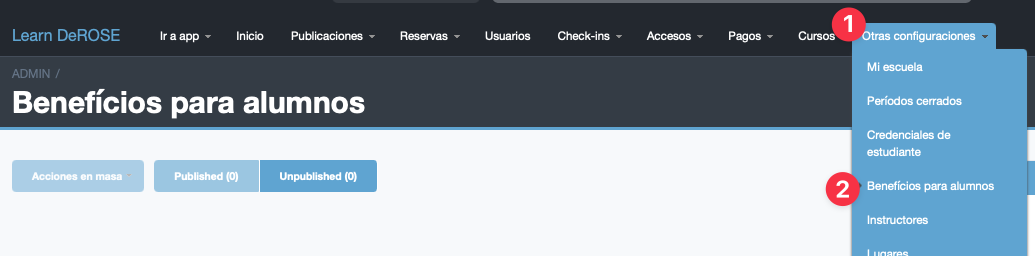
How to register my agreements
In the advanced Panel go to “Other settings > Benefits for students”
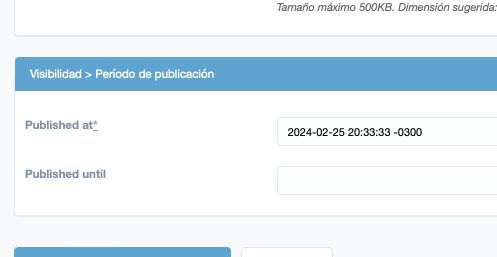
Agreement validity
With the publication dates you can set the validity dates of the agreement so it is only visible during the agreement's validity period.
Student ID
To request the benefits it is important that the student has their Student ID: