SendinBlue API KEY

Automatic translation. View original

Portuguese

Get the SendinBlue API Key

A SendinBlue account is required. You can create one on the SendinBlue page.

Once the account is confirmed, you can get your API key from the settings (SMTP & API)

  1. While logged into your account, click your name in the upper right corner.
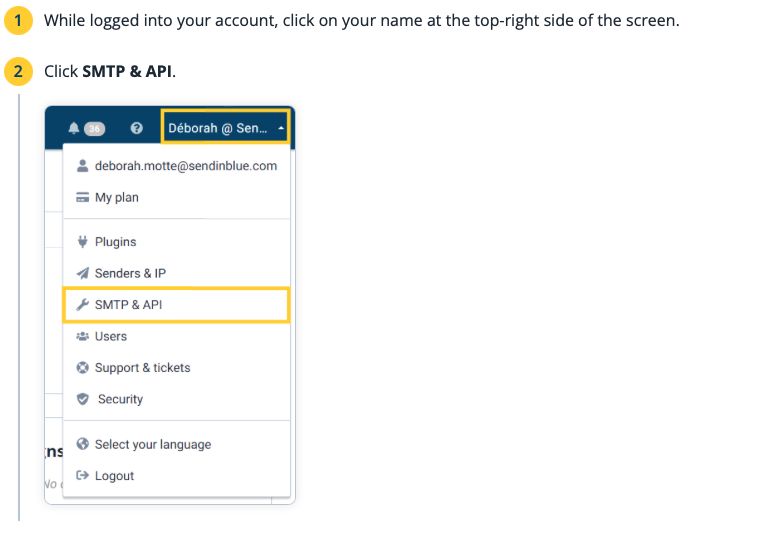
    86cc73f-Screenshot_2022-02-02_at_00.53.25.png
  2. Click SMTP & API

  3. In the API keys tab, click +CREATE A NEW API KEY
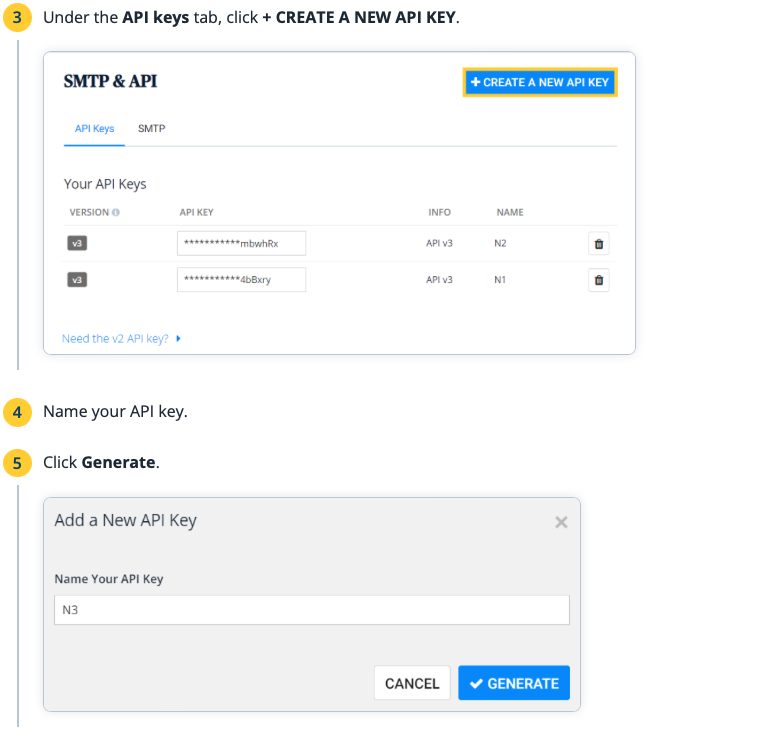
    834834d-Screenshot_2022-02-02_at_00.53.36.png
  4. Give your API key a name

  5. Click Generate

    834834d-Screenshot_2022-02-02_at_00.53.36 (1).png
  6. Copy your API key and store-it in a safe place. Note: The API key will only be visible during this time.
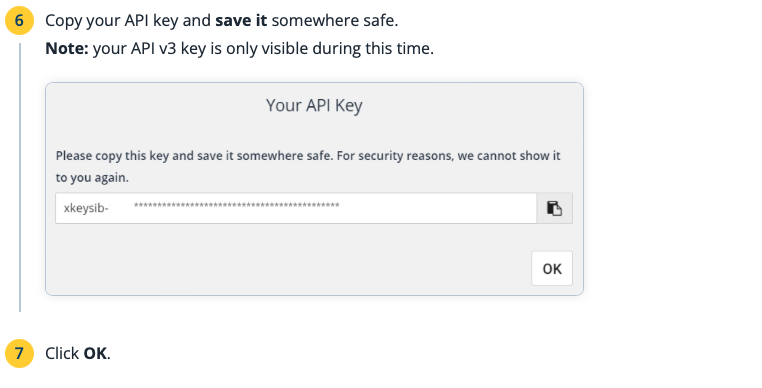
    5efe72b-a7aaba4-Screenshot_2022-02-02_at_00.53.47.png
  7. Click OK

Spanish

Obtain the SendinBlue API KEY

You need to have a SendinBlue account. You can create one on the SendinBlue page.

Once the account has been confirmed, you can obtain your API key from the settings (SMTP & API)

  1. While logged into your account, click on your name at the top right

    86cc73f-Screenshot_2022-02-02_at_00.53.25.png
  2. Click on SMTP & API

  3. On the API keys tab, click on +CREATE A NEW API KEY

    834834d-Screenshot_2022-02-02_at_00.53.36.png
  4. Name your API key

  5. Click on Generate

    834834d-Screenshot_2022-02-02_at_00.53.36 (1).png
  6. Copy your API key and save it in a safe place. Note: The API KEY will only be visible during this time

    5efe72b-a7aaba4-Screenshot_2022-02-02_at_00.53.47.png
  7. Click OK

I need more help

Back to CRM

Contact support