Categorized student lists
Automatic translation. View original
Through tags and searches you can have lists with your own criteria for monitoring prospects or categorizing students.
Once the searches are saved they can be used for synchronization with mailchimp or other integrations, to place in the control indexes of the home screen or to have in the school's lists.
See in this link how to create your own tags: Custom tags to specify your searches in padma
Example:
You can, for example, create the tag “ondemand” to designate students who only take ondemand classes. Or the tag “personal” to indicate students who are in personal teaching.
On-demand students
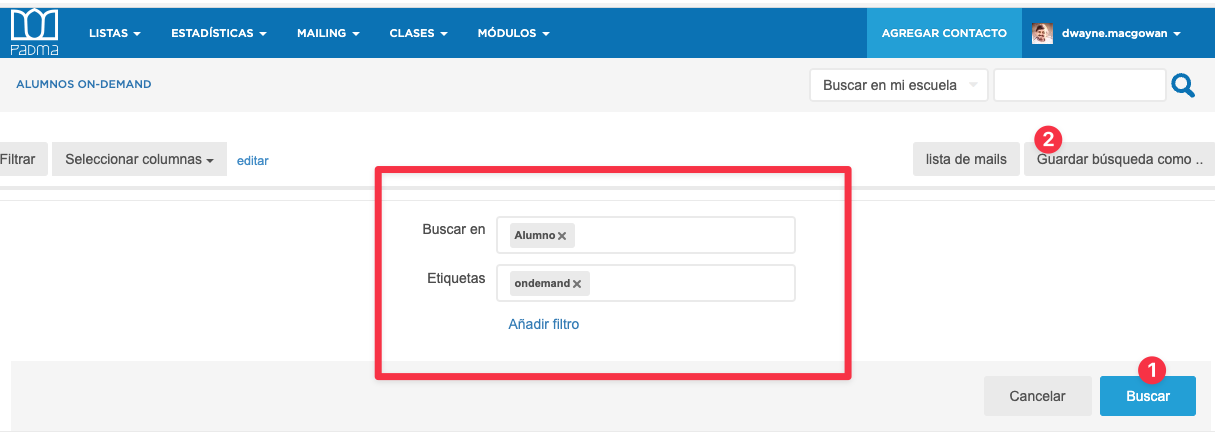
Go to “Lists > New search” and filter Students, with the tag “ondemand”. First click on search (1 in the image) and then you can save this list by clicking on “Save search as…” (2 in the image)
Rest of the students
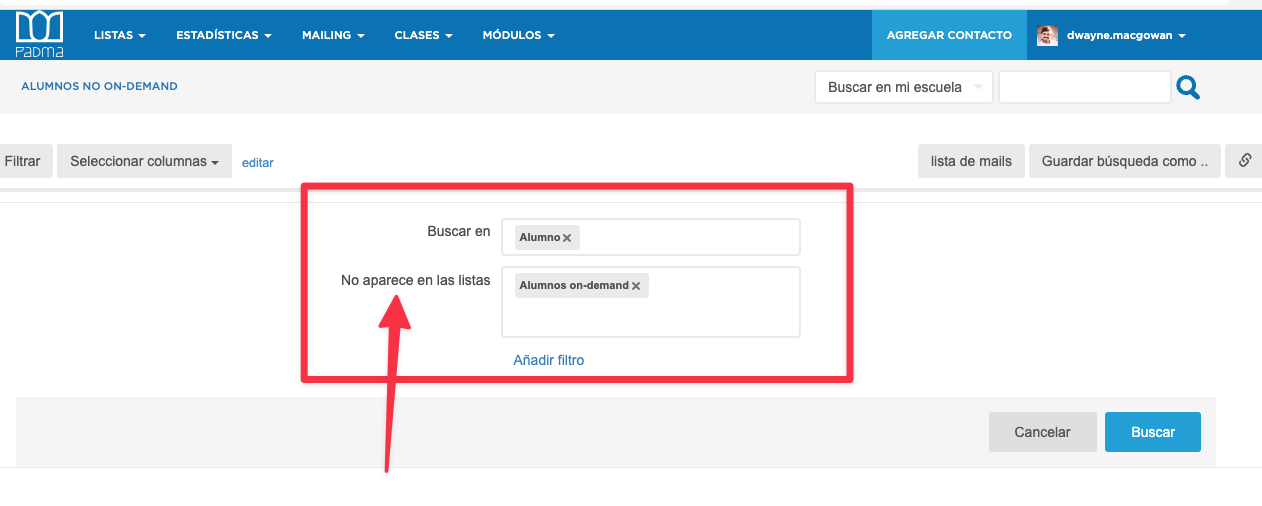
In the same way you can create another search, now filtering Students who are not in the previous list. With this you have the rest of the students.