
Periods with no activities or only special classes at your school
Automatic translation. View original
Use a closed period to cancel recurring classes on specific dates without changing the weekly schedule. You can cancel a class in the instructor app or set up the closure of several classes in the Advanced Panel. Single-date classes are not included in the closure.
Canceling a class in the instructor app
- In the Schedule of the instructor app, open the recurring class you want to cancel.
- Open Actions and choose Temporarily cancel this class.
- Fill in Start date and End date. To cancel the class for a single day, choose the same date in both fields.
- Click Temporarily cancel this class to confirm.
- Check the dates in the class's Cancellations tab.
If a warning appears about bookings already made, cancel those bookings manually.
Canceling classes through the Advanced Panel
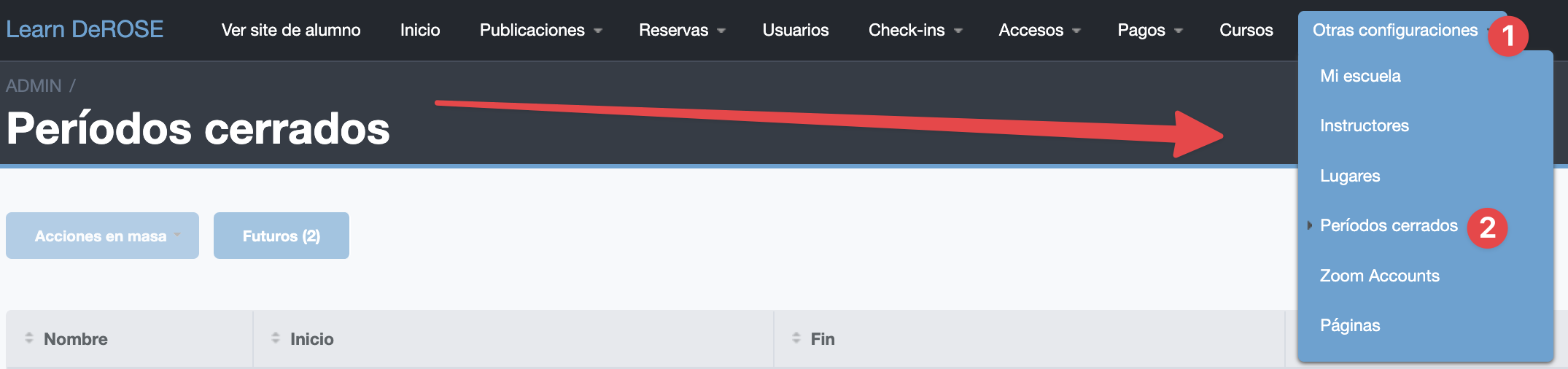
- In the Advanced Panel, open Other settings → Closed periods and create a new period. Open Closed periods
- Give the period a name and enter the date and time for Start and End.
- In Associated listings, choose which recurring classes will be canceled. You can select specific classes or use rules by type, instructor, or exceptions.
- If you want, write a Message for the students. Check Hide in the daily schedule if you want to remove the canceled classes from the schedule.
- Save the period. If you see View affected bookings, open the link and manually cancel the corresponding bookings.
Example of a holiday with a special class
- Create a Closed period that covers the entire holiday in the Advanced Panel.
- Choose Cancel ALL recurring classes at my school EXCEPT the following and leave Associated listings with no classes selected. This way, all recurring classes on that day will be canceled.
- If there are already other one-time classes on the holiday, review those listings individually. The closed period keeps these classes on the schedule.
- Publish the special class with a one-time date for the day and time of the holiday.
- Check the schedule. The special class will be available to students during the closure.