
Agreements / Benefits for students
Automatic translation. View original
- Where the agreements appear
- Who can see the agreements
- Sections of the benefits screen
- Who can register agreements
- How to register my agreements
- Student ID card
Where the agreements appear
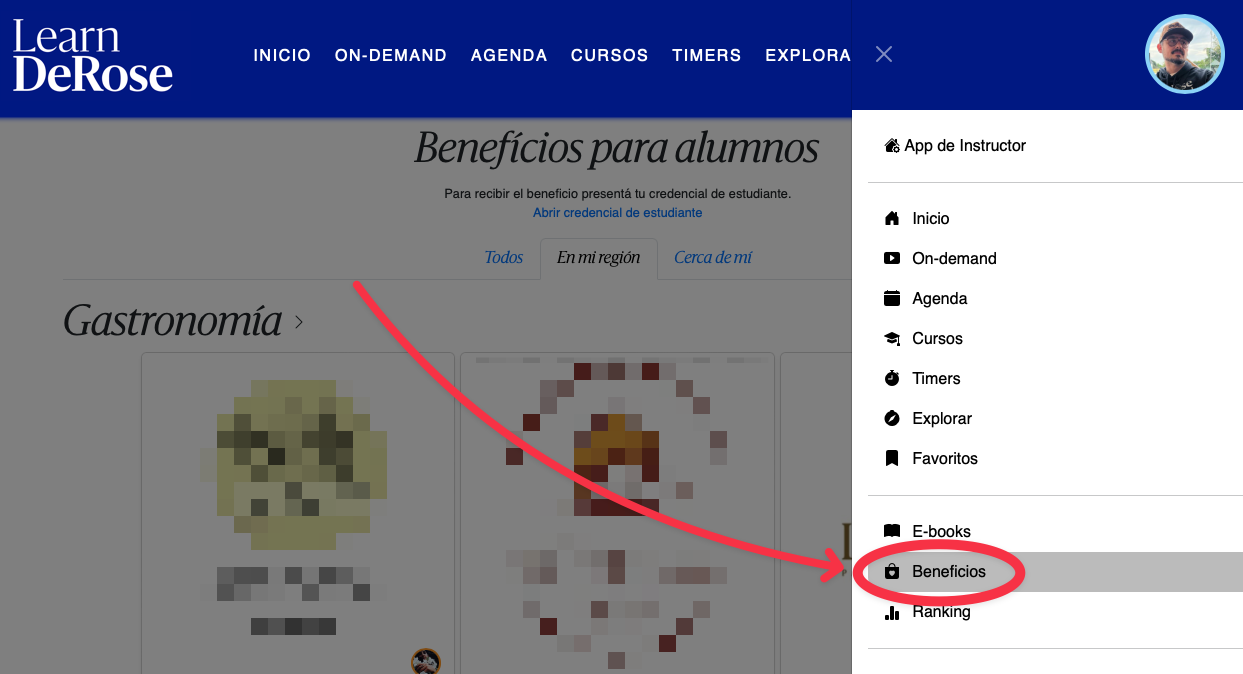
Who can see the agreements
The “Benefits for students” screen is visible to all users who are registered as STUDENTS in PADMA.
Sections of the benefits screen
Tab “All”
In this section all active agreements appear.
Tab “In my region” (100 km)
In this section only the benefits located within 100 km (radius) around the user's current location appear.
For each agreement we consider 2 possible locations:
- The location of the school registering the agreement
- The location of the place linked in the agreement form.
Tab “Near me” (3 km)
In this section only the benefits located within 3 km (radius) around the user's current location.
For each agreement, we consider 2 possible locations:
- The location of the school registering the agreement
- The location of the place linked in the agreement form.
Who can register agreements
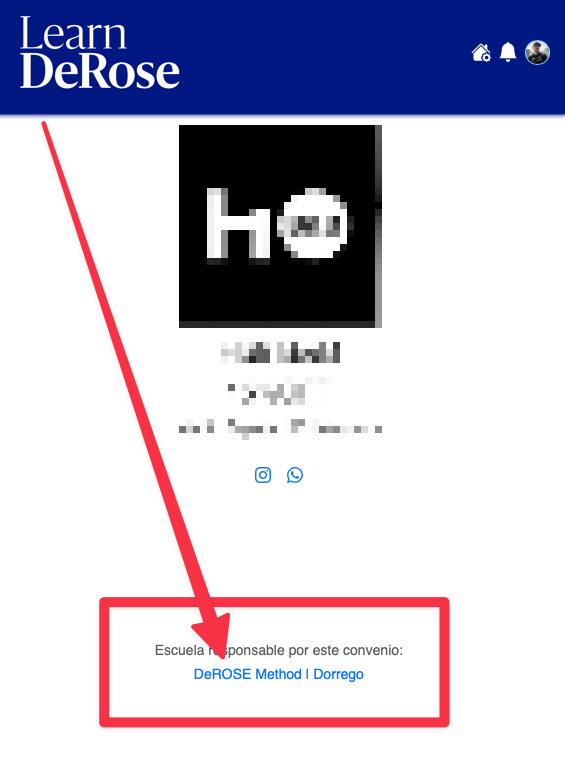
All schools can register agreements. The agreements registered by the schools will be visible to the students of all schools.
The school responsible for the agreement is indicated in each benefit.
How to register my agreements
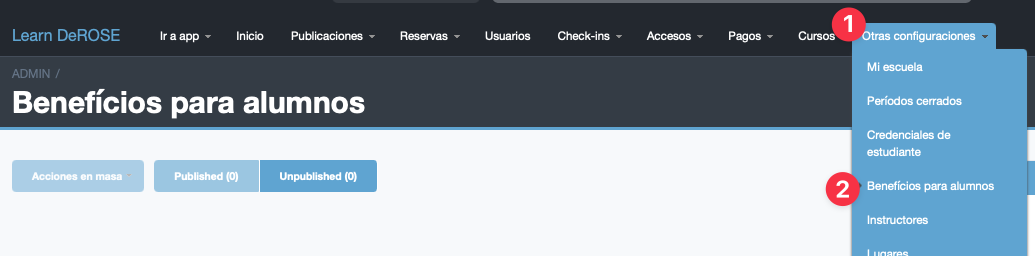
In the Advanced Panel go to “Other settings > Benefits for students”
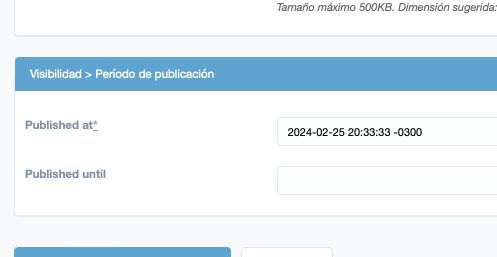
Agreement validity
With the publication dates you can set the validity dates of the agreement so that it is only visible during the validity of the agreement.
Student credential
To request the benefits it is important that the student has their Student Credential: