<a id="60b47f200d9e4c75b59e79a21c41bde1"></a><a id="60b47f20-0d9e-4c75-b59e-79a21c41bde1"></a>

<a id="37fde2364d7241a3acba8ff690539dea"></a><a id="37fde236-4d72-41a3-acba-8ff690539dea"></a>

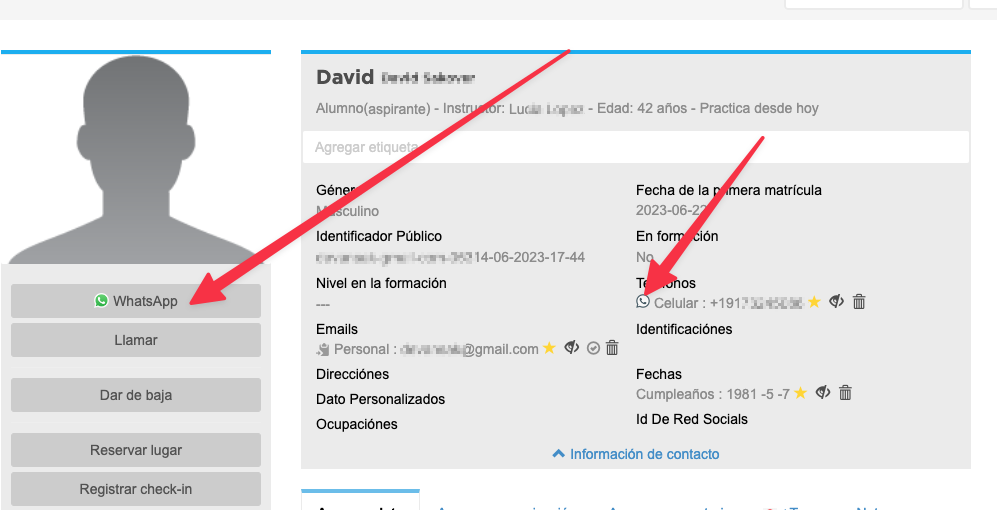
If the contact has registered a mobile number, we will add a button on the profile to send WhatsApp messages.

<a id="6a6d862d09184cf8a8d894ee16508724"></a><a id="6a6d862d-0918-4cf8-a8d8-94ee16508724"></a>

<img src="/help-assets/ef403f29cea22ced811ad71089b344547d3146690268cc889d73aa2ed055c768.png" alt="CleanShot 2023-06-22 at 13.17.30.png">

<a id="b521989d67034ad2a99b2292dd463494"></a><a id="b521989d-6703-4ad2-a99b-2292dd463494"></a>

<a id="743a7e7f1edf43a3b3c7b01f1cff0029"></a><a id="743a7e7f-1edf-43a3-b3c7-b01f1cff0029"></a>

To generate this button the phone number is internationalized. If the internationalization is not working correctly with your contact, <strong>try entering the full number with area code starting with + </strong>
<a id="6d1adb7c2caf42cdbc40b556013d945d"></a><a id="6d1adb7c-2caf-42cd-bc40-b556013d945d"></a>
